Visualisation
Pre-analysis steps
The following steps should have been completed before the DEM is ready for river picking. See section on Preparing data if in doubt.
- The DEM (Digital Elevation Model) has been downloaded and merged into a single raster .
- The DEM is projected into metres - you do not want to be working in degrees.
- The DEM has been checked for any holes/spikes/or errors.
- You’ve initiated a GRASS Project and now within the GRASS GIS’s own shell set up.
Importing and displaying Raster Data
Importing DEM
To import your DEM into GRASS, navigate to the directory containing the DEM files from the command line.
GRASS :~ > cd destination_folder/project
GRASS :~ > r.in.gdal input=dem.tif output=dem
Checking extent of DEM
To check or change the regional extent of your raster datset, use g.region.
GRASS :~ > g.region -p

--------------------
projection: 1 (UTM)
zone:       37
datum:      wgs84
ellipsoid:  wgs84
north:      4213386.67972946
south:      3874847.25407434
west:       134877.89022413
east:       324399.35901918
nsres:      29.13921722
ewres:      29.13921722
rows:       11618
cols:       6504
cells:      75563472
If region has been changed, you can bring it back to its full extent and original resolution by typing:
GRASS :~ > g.region rast=dem
Displaying DEM
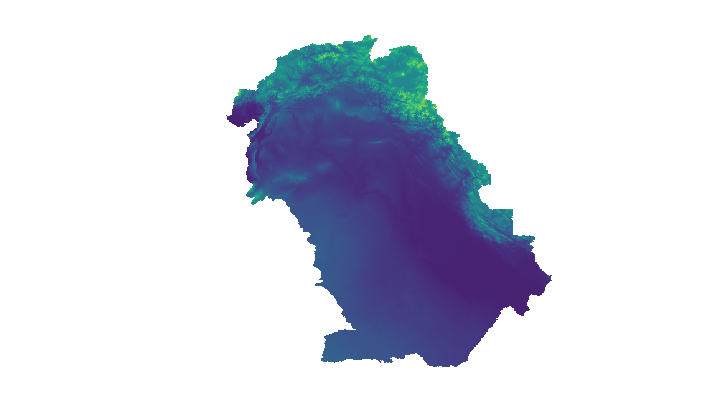
Output dem from GRASS GUI display monitor
The GUI interface can be used in the same way as ArcGIS to add and manipulate raster datasets. The following instruction will use the command line, with the advantage of allowing short scripts to create and save map images. It is good practice to check processing steps as you go along, particularly if you are changing the computational region. You can display the raster DEM in a graphical interface from the command line using d.mon and all display modules are prefixed with d.*.
# Starts display window using monitor wx0
GRASS :~ > d.mon start=wx0
# Uses a scalable elevation color scheme for the topo map
GRASS :~ > r.colors map=dem color=elevation
# Displays topo map
GRASS :~ > d.rast map=dem
# Save display
GRASS :~ > d.out.file output=folder/dem format=png
Masking DEM to Coastlines
Before proceeding with hydrological processing of the dem, make sure your region is delineated to the desired extent. First mask the dem to coastlines or any other desired shape polygon i.e. catchment or country. Any subsequent raster operations will be limited to the area within the mask.
GSHSS Coastlines. High resolution shoreline data can be downloaded from the National Oceanic and Atmospheric Adminstration (www.noaa.gov). Make sure you download Level 1 data which contains continental land masses with a complete hierachically arranged closed polygon for masking.
Import shapefile. Import coastline data to the regional extent of the dem which GRASS will reproject from lat long to the DEM’s projected coordinates on the fly.
#Import shapefile
GRASS :~ > v.import input=GSHSS_h_L1.shp output=coast extent=region
#View shapefile
GRASS :~ > d.vect map=coast width=2 type=boundary
# Mask dem using shapefile
GRASS :~ > r.mask vector=coast
# Display masked dem to check your results
GRASS :~ > d.rast dem
#Removing mask
GRASS :~ > r.mask -r
Creating Hillshades
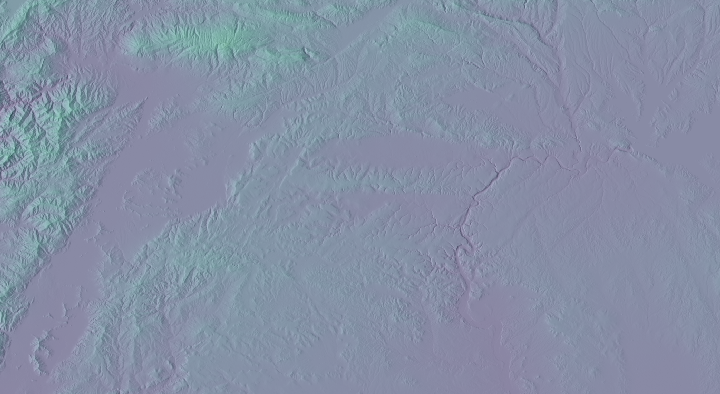
Shaded relief map
To create a shaded relief map from a DEM, use r.relief. Default settings used for altitude: 30 degrees above the horizon; azimuth: 270 degrees east from north; and exaggeration z-scaling factor of 1 can all be changed. The map is assigned a grey-scale color table. It is possible to add color to shaded relief maps using d.shade.
#Hillshade using dem color table
GRASS :~ > r.relief input=dem output=dem_shade

#Displaying draped dem over shaded relief raster map
GRASS :~ > d.mon wx0
GRASS :~ > d.shade shade=dem_shade color=dem

#Combining shaded relief and dem rasters for output
GRASS :~ > r.blend first=dem second=dem_shade \
    output=colored_shaded_relief percent=40
GRASS :~ > d.rgb r=colored_shaded_relief.r \
   g=colored_shaded_relief.g b=colored_shaded_relief.b